Self-Assignable Roles
Let members pick their own roles using slash commands — no panels, no reactions, just a simple command.
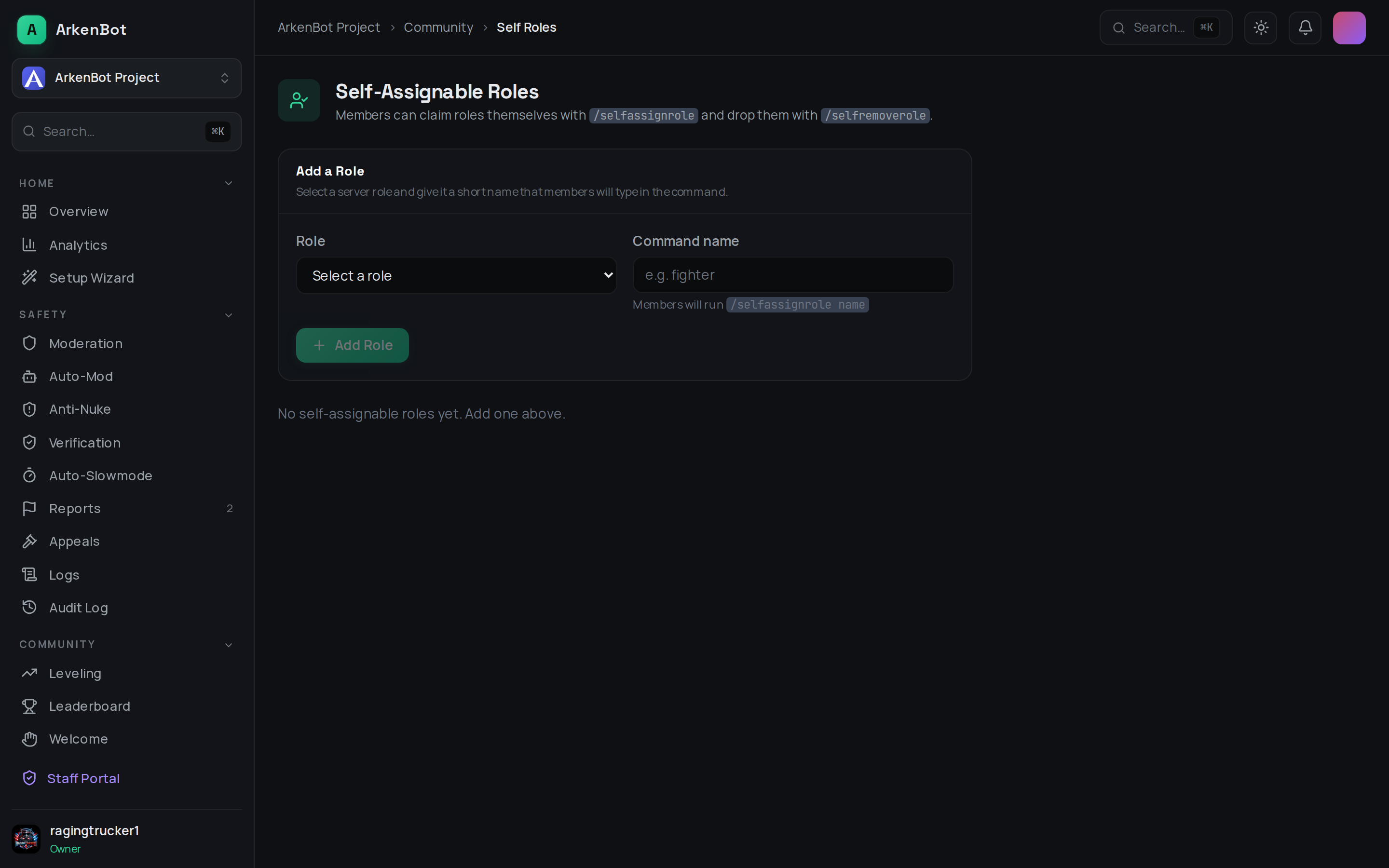
How It Works
Admins register roles as "self-assignable" and give each a short name. Members can then run /selfassignrole <name> to claim a role or /selfremoverole <name> to drop it. Autocomplete makes discovery instant — members never have to memorise names.
Setup
You can manage self-assignable roles from either the dashboard or Discord slash commands.
Dashboard (recommended)
- Open the Self-Roles page from the sidebar
- Select a Role from the dropdown
- Enter a Command name — a short, lowercase identifier (e.g.
fighter,pc-gamer) - Click Add Role
The role immediately appears in the list and members can start using it.
Slash Commands
| Command | Description |
|---|---|
/selfrole add role:<role> [name:<name>] | Add a role to the self-assignable list. Defaults to the role's name if no name is given. |
/selfrole remove name:<name> | Remove a role from the list (autocomplete supported). |
/selfrole list | Show all self-assignable roles in an embed. |
All three subcommands require Manage Roles permission.
Member Commands
| Command | Description |
|---|---|
/selfassignrole <name> | Assigns the named role to yourself. |
/selfremoverole <name> | Removes the named role from yourself. |
Both commands show autocomplete suggestions — /selfassignrole only shows roles you don't already have; /selfremoverole only shows roles you do have.
Requirements
- The bot's role must be above any role it needs to assign in your server's role hierarchy (Server Settings → Roles → drag the bot's role higher).
- Names must be unique per server and are stored in lowercase.
Tips
- Use short, memorable names — members will type these directly (or select from autocomplete).
- Combine with Self-Roles and Reaction Roles for a complete role-selection experience.
- Names can contain hyphens:
pc-gamer,among-us,18plus.