Auto-Mod Setup
Auto-Mod automatically enforces rules so your moderators don't have to watch every channel. Go to Auto-Mod in the sidebar to configure it.
Exemptions (Set These First)
Before enabling any rules, configure exemptions to avoid false positives:
- Exempt Roles — Users with these roles are never affected by Auto-Mod (e.g. Staff, Mods, Bots)
- Exempt Channels — Auto-Mod is disabled in these channels (e.g. bot-commands, staff-only)
Administrators are always exempt from Auto-Mod regardless of these settings.
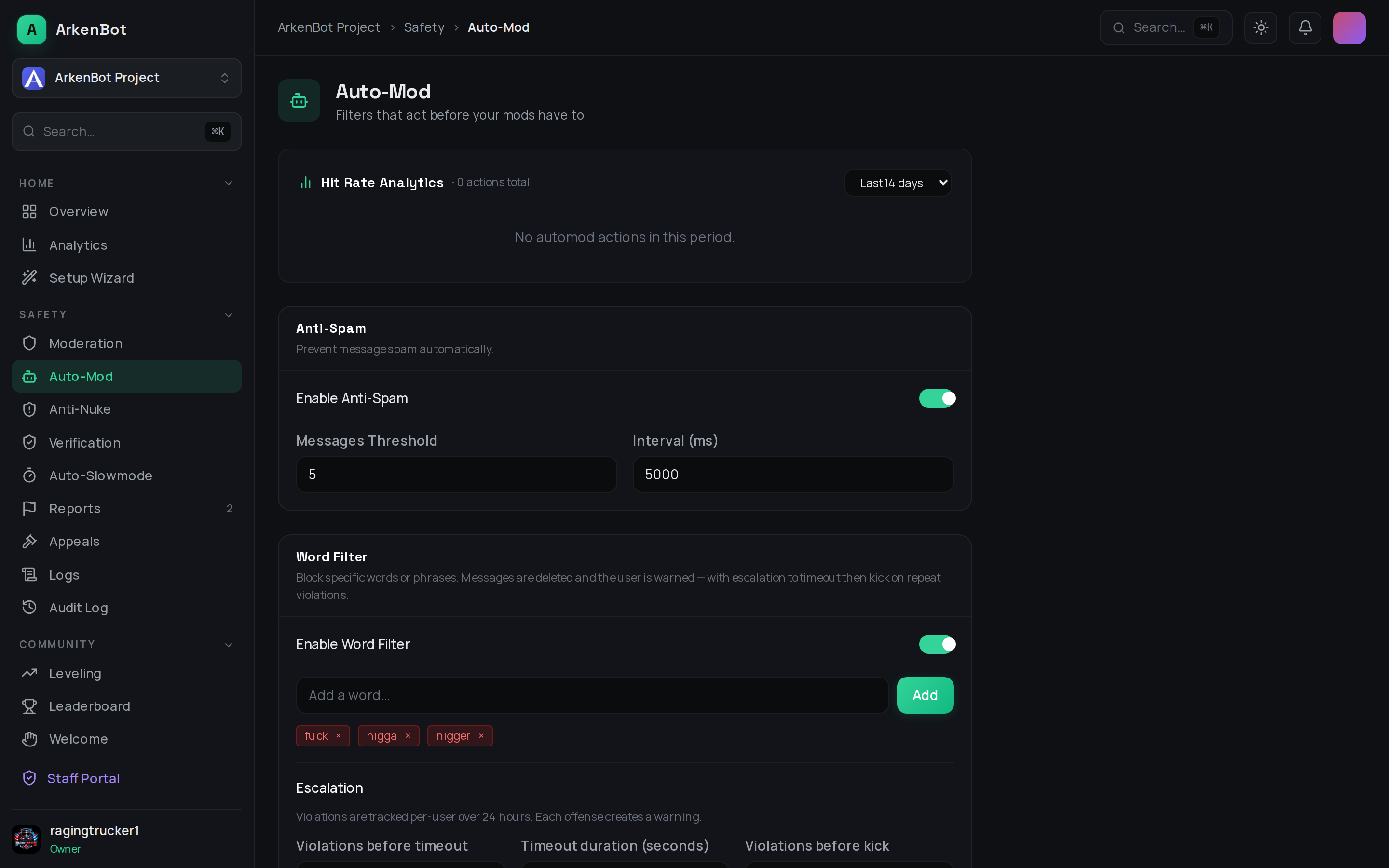
Anti-Spam
Detects users sending too many messages too quickly.
| Setting | Description | Default |
|---|---|---|
| Threshold | Number of messages within the interval to trigger | 5 |
| Interval | Time window in seconds | 5s |
| Action | delete, warn, mute, kick, or ban | delete |
How it works: If a user sends more than threshold messages within interval seconds, the action is triggered and excess messages are deleted.
Word Filter
Blocks specific words or phrases from being sent.
| Setting | Description |
|---|---|
| Filtered Words | List of words/phrases to block (supports partial matches) |
| Action | What to do when a match is found |
| Warn before timeout | Number of warnings before applying a timeout |
| Timeouts before kick | Number of timeouts before kicking |
| Timeout Duration | How long the timeout lasts |
| Custom warn message | Message shown to the user when warned |
| Custom kick DM | DM sent to user when kicked |
Escalation example: Set warn-before-timeout to 3 and timeouts-before-kick to 2. The user gets warned 3 times, then timed out twice, then kicked.
Anti-Link
Prevents members from posting links.
| Setting | Description |
|---|---|
| Allowed Domains | Domains that are always permitted (e.g. discord.com, youtube.com) |
| Action | What to do when a blocked link is detected |
Anti-Mention
Prevents mass-mention spam.
| Setting | Description | Default |
|---|---|---|
| Threshold | Max number of mentions in a single message | 5 |
Any message with more mentions than the threshold is deleted and the action is applied.
Anti-Caps
Prevents excessive use of capital letters.
| Setting | Description | Default |
|---|---|---|
| Threshold | Minimum % of characters that must be uppercase to trigger | 70% |
Only applies to messages longer than 8 characters to avoid false positives on short words like "OK" or "lol".
Anti-Raid
Detects sudden waves of new accounts joining (raid protection).
| Setting | Description | Default |
|---|---|---|
| Threshold | Number of joins within the interval to trigger | 10 |
| Interval | Time window in seconds | 10s |
| Action | kick (kick joiners) or lockdown (lock all channels) | kick |
When triggered, new accounts that joined during the raid window are actioned automatically.
Anti-Phishing
Scans every message for known phishing and scam domains using a live blocklist updated hourly.
| Setting | Description |
|---|---|
| Enable Anti-Phishing | Toggle to enable/disable |
| Action | Delete only — deletes the message silently. Delete & Mute — deletes the message and mutes the sender for 10 minutes. |
Administrators and members with exempt roles are never affected.
AI Moderation
Keyword filters only catch what you list. AI Moderation reads messages with an AI model and flags the ones that are genuinely harmful — subtle harassment, hate, veiled threats, and social-engineering scams that are phrased around a wordlist.
It is off by default and opt-in per server.
| Setting | Description |
|---|---|
| Enable AI Moderation | Toggle to enable/disable |
| Action | Flag only (recommended) — posts a moderator alert with the category, severity, reason, and a jump link; nothing is deleted. Delete — removes the message and records it in your Auto-Mod log. |
What it flags: harassment, hate speech, threats, sexual content directed at someone, scams/phishing, and self-harm. It is deliberately conservative — banter, criticism, casual profanity, and gaming trash-talk are not flagged.
How it stays cheap and safe:
- Runs only after the deterministic filters above have passed on a message.
- Skips very short and very long messages, and is capped at 20 checks per minute per server.
- Never blocks or delays messages, and
Flag onlynever auto-punishes anyone — your moderators decide.
Requires an AI key. On the hosted ArkenBot this is already configured. Self-hosters need
GROQ_API_KEYset (see Installation).Privacy: when enabled, message text is sent to Groq for classification. See the Privacy Policy.
Administrators and members with exempt roles are never scanned.
Tips
- Start with delete actions to test that rules trigger correctly before escalating to kicks/bans
- Add your bot accounts to Exempt Roles to prevent them from being caught by Anti-Spam
- Use Allowed Domains in Anti-Link rather than disabling it entirely — this gives you precise control