Trello Alerts
ArkenBot can post Discord notifications when things happen on a Trello board — cards created, moved, renamed, commented on, labels added, checklists ticked, and more.
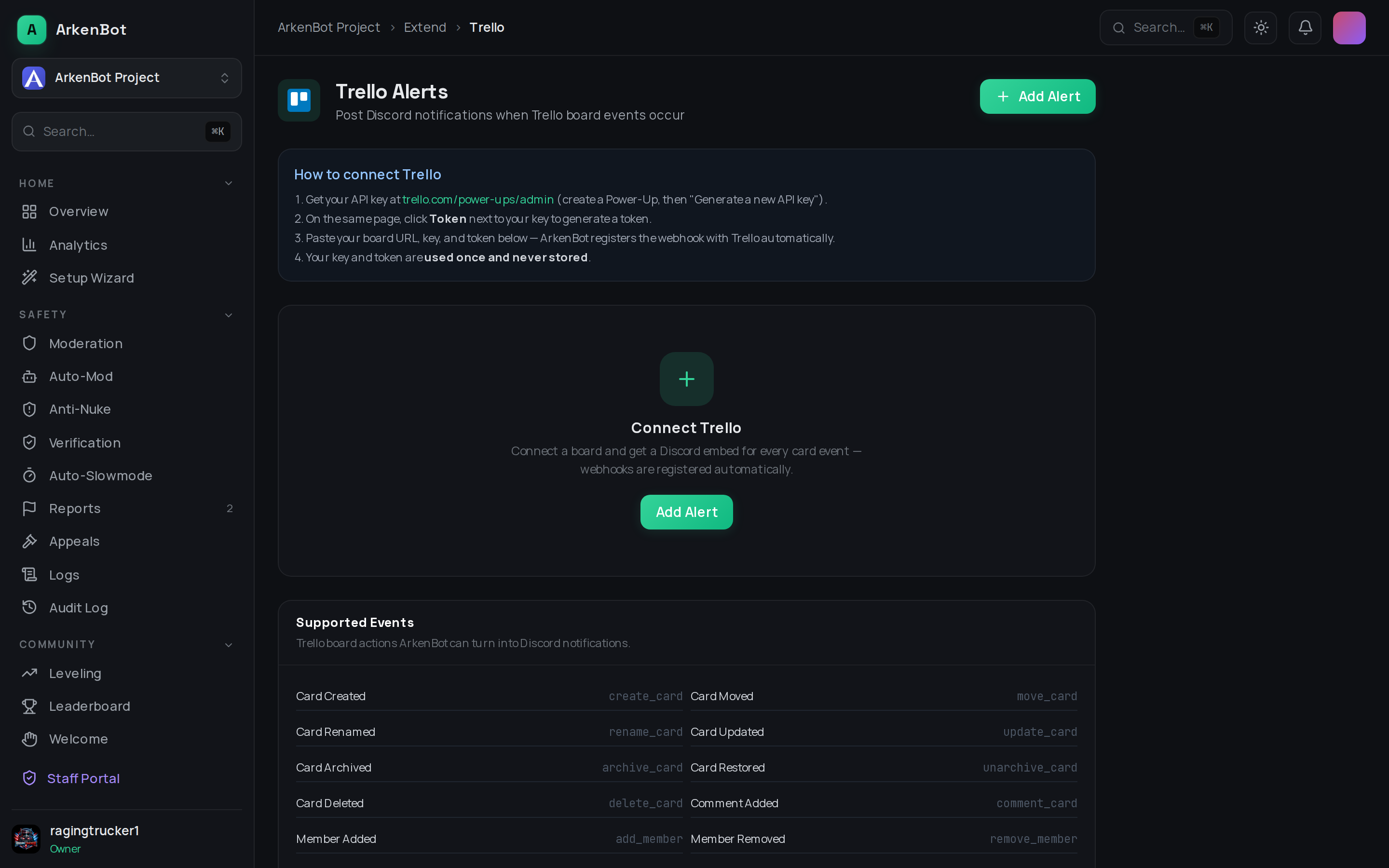
How It Works
Unlike monday.com, Trello has no webhook UI — webhooks can only be created through Trello's API. ArkenBot handles that for you: you provide your Trello API key and token once, and ArkenBot registers the webhook with Trello automatically.
Your credentials are never stored. The API key and token are used once — to look up the board and register the webhook — and then discarded.
Setup
- Get a Trello API key at trello.com/power-ups/admin — create a (private) Power-Up, then click Generate a new API key
- On the same page, click the Token link next to your key and authorize it to generate a token
- Go to Dashboard → Trello (under Tools in the sidebar)
- Click Add Alert and fill in:
- Board URL or ID — paste the board link, e.g.
https://trello.com/b/AbCd1234/my-board - Discord Channel — where notifications are posted
- Trello API Key and Trello Token — from steps 1–2
- Event Filter — tick specific events, or leave all unchecked to receive everything
- Board URL or ID — paste the board link, e.g.
- Click Create Alert — ArkenBot registers the webhook and starts relaying events immediately
Supported Events
| Event | Fires When |
|---|---|
| Card Created | A card is added to any list |
| Card Moved | A card moves between lists (shows from → to) |
| Card Renamed | A card's title changes (shows old and new name) |
| Card Updated | Description, due date, start date, or position changes — the embed lists exactly what changed |
| Card Archived / Restored | A card is archived or sent back to the board |
| Card Deleted | A card is permanently deleted |
| Comment Added | Someone comments on a card (comment text included) |
| Member Added / Removed | Someone is assigned to or removed from a card |
| Attachment Added | A file or link is attached to a card |
| Label Added / Removed | A label is applied to or removed from a card |
| List Created / Renamed | A list is added or renamed |
| Checklist Toggled | A checklist item is marked complete or incomplete |
Embeds include direct links to the card and board, and the display name of the member who performed the action — no extra configuration needed.
Managing Alerts
- Enable/Disable — pause an alert without deleting it (Trello keeps sending events; ArkenBot ignores them while paused)
- Edit — change the board label shown in embeds or the event filter
- Delete — removes the alert; Trello's webhook is cleaned up automatically the next time it fires