Welcome Messages
Greet new members and say goodbye to departing ones with fully customizable messages.
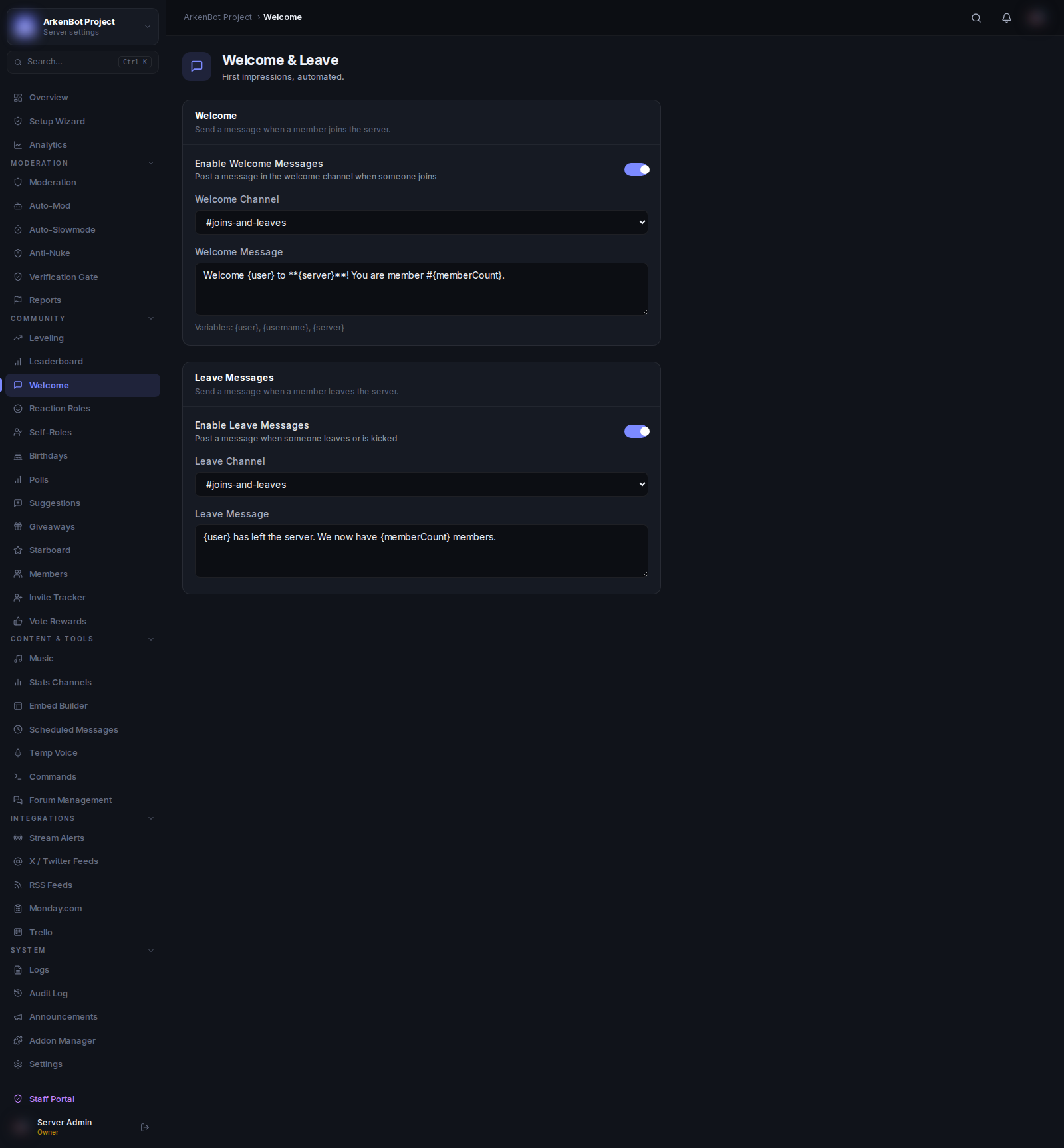
Setup
Go to Welcome in the sidebar.
Welcome Messages
| Setting | Description |
|---|---|
| Enable Welcome Messages | Turn welcome messages on or off |
| Welcome Channel | Channel where welcome messages are posted |
| Welcome Message | The message content (supports template variables) |
| Send as Embed | Toggle between a plain text message and a styled embed |
| Welcome Color | Accent color for the embed (when embed mode is on) |
Welcome DMs
Send a private message directly to the new member.
| Setting | Description |
|---|---|
| Enable Welcome DMs | Toggle DM sending on or off |
| DM Message | Content of the DM (supports template variables) |
Leave Messages
| Setting | Description |
|---|---|
| Enable Leave Messages | Turn leave messages on or off |
| Leave Channel | Channel where leave messages are posted |
| Leave Message | The message content (supports template variables) |
Template Variables
Use these placeholders in any message field — they are replaced automatically:
| Variable | Replaced With |
|---|---|
{user} | A mention of the member (@Username) |
{username} | The member's display name (no mention) |
{server} | The server name |
{memberCount} | Current total member count |
{userId} | The member's Discord user ID |
Example welcome message:
Welcome to {server}, {user}! 🎉 You are member #{memberCount}.
Head over to #rules to get started.
Auto-Role
In Settings, set an Auto-Role to automatically assign a role to every new member on join. This is processed before the welcome message is sent.