Starboard
Automatically repost popular messages to a dedicated channel when they collect enough star reactions.
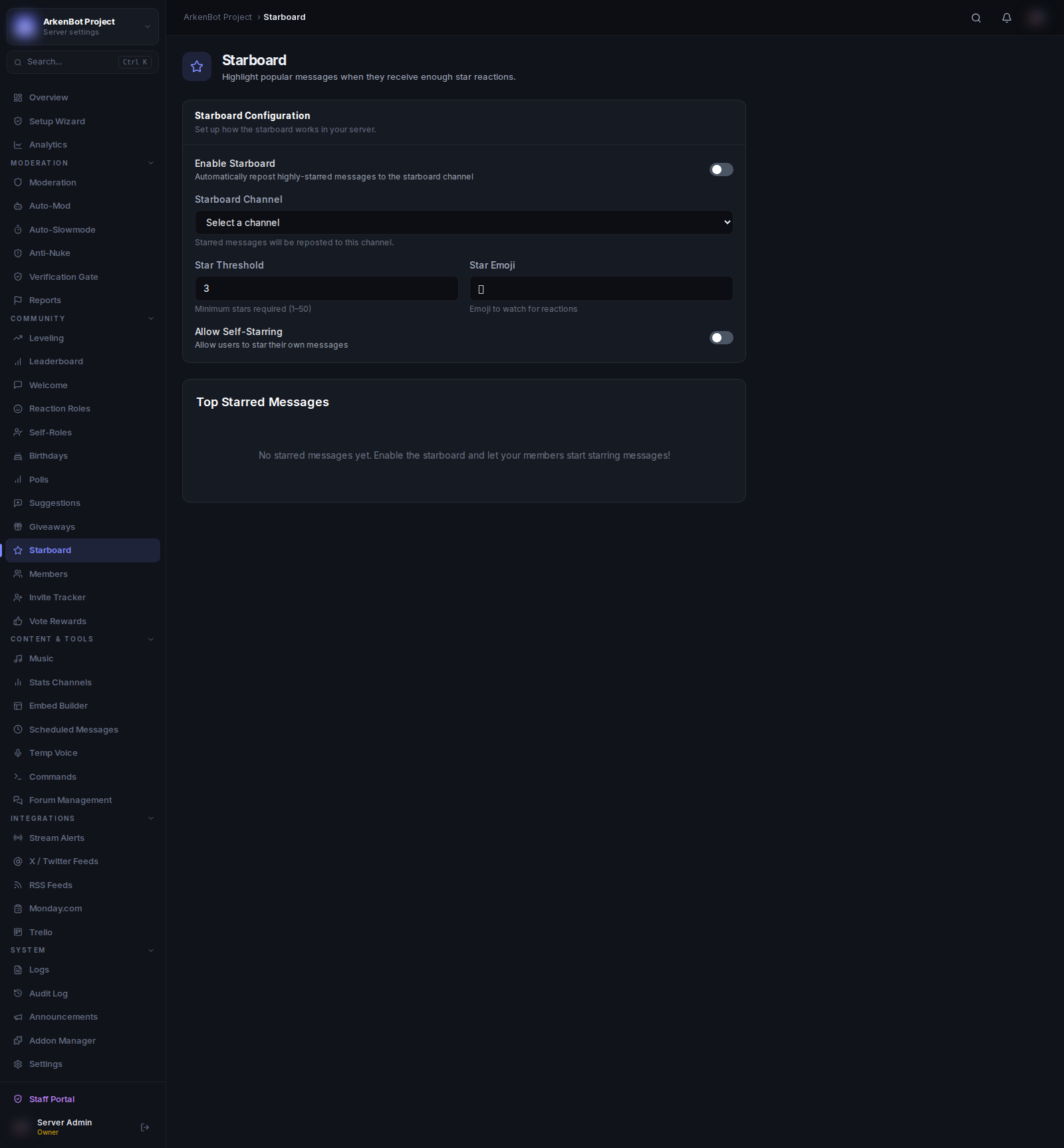
Setup
Go to Starboard in the sidebar.
Configuration
| Setting | Description | Default |
|---|---|---|
| Enable Starboard | Turn the starboard on or off | Off |
| Starboard Channel | Where starred messages are reposted | — |
| Star Threshold | Minimum stars a message needs (1–50) | 3 |
| Star Emoji | The emoji to watch for | ⭐ |
| Allow Self-Starring | Whether users can star their own messages | Off |
How It Works
- A member reacts to a message with the star emoji
- Once the reaction count reaches the threshold, the bot reposts the message to the starboard channel as an embed
- The embed shows the original message content, author, and a link back to the source
Top Starred Messages
The Top Starred Messages table on the Starboard page shows all messages that have been reposted, sorted by star count. Each entry includes a link icon to jump directly to the original message in Discord.
Tips
- Set the threshold higher on large servers to keep only truly popular messages on the board
- Turn off Allow Self-Starring to prevent gaming the system
- Use a dedicated read-only starboard channel so it stays clean and easy to browse