Suggestions
Let members submit ideas and vote on them. Staff can review and update the status of each suggestion.
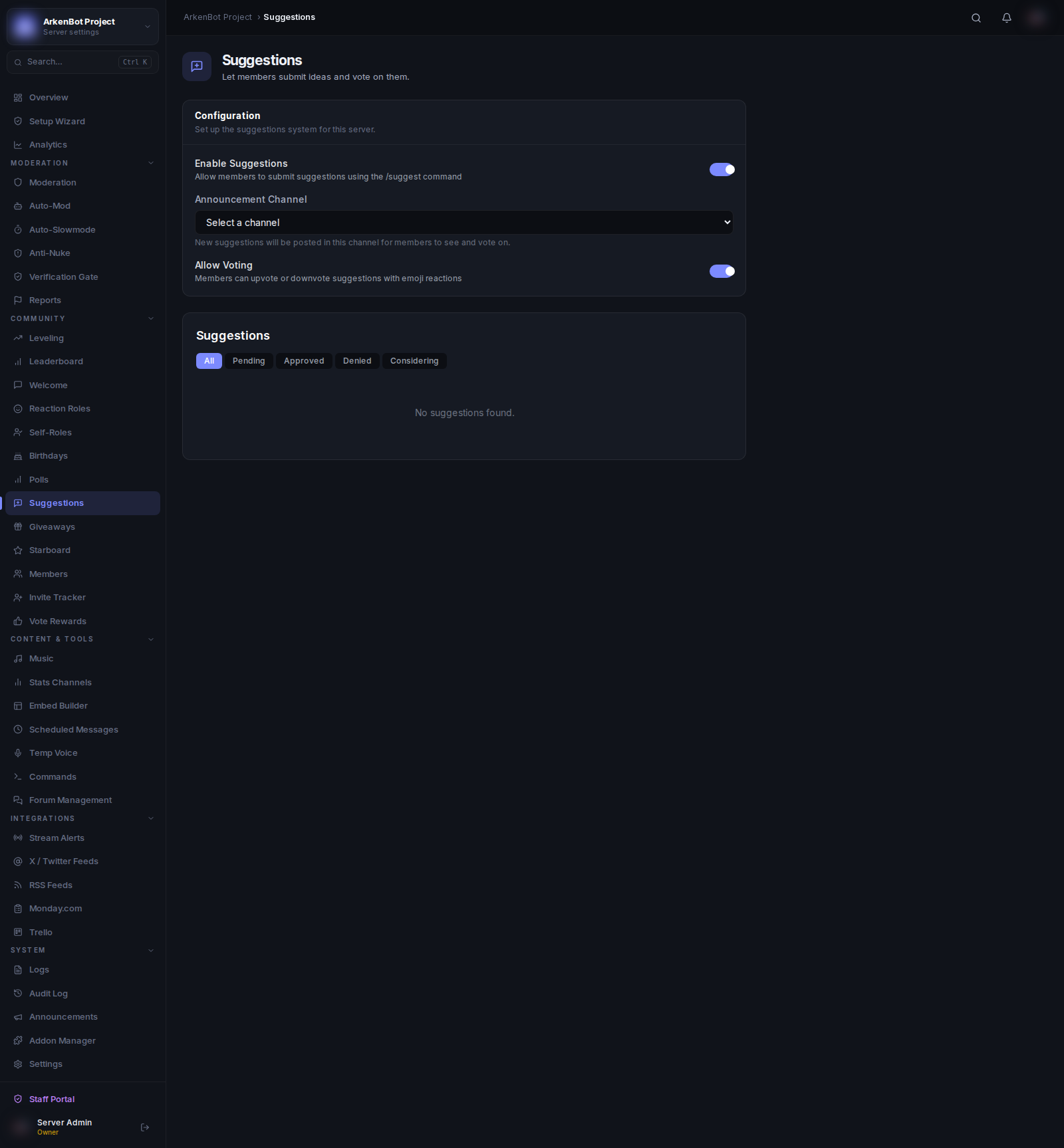
Setup
Go to Suggestions in the sidebar.
| Setting | Description |
|---|---|
| Enable Suggestions | Allow members to submit suggestions via /suggest |
| Announcement Channel | Where new suggestions are posted for members to see |
| Allow Voting | Members can upvote or downvote suggestions with emoji reactions |
How Members Submit Suggestions
/suggest <idea>
The bot posts the suggestion as an embed in the announcement channel. If voting is enabled, it automatically adds 👍 and 👎 reactions.
Suggestion Statuses
| Status | Meaning |
|---|---|
| Pending | Awaiting review |
| Approved | Accepted — will be implemented |
| Denied | Rejected |
| Considering | Under review or debate |
Staff update statuses using the /suggestion command in Discord.
Staff Notes
Staff can attach a note to any suggestion explaining the decision. The note appears on the suggestion embed in Discord and in the dashboard viewer.
Dashboard Viewer
The Suggestions section in the dashboard shows all suggestions with filtering by status. Each suggestion displays:
- The suggestion content
- Author
- Current status badge
- Upvote and downvote counts
- Staff note (if any)
Use the status tabs (All, Pending, Approved, Denied, Considering) to filter the list.