Anti-Nuke
Anti-Nuke protects your server from rapid destructive actions — mass channel deletions, mass role deletions, and mass bans — by automatically detecting and responding to the offending user.
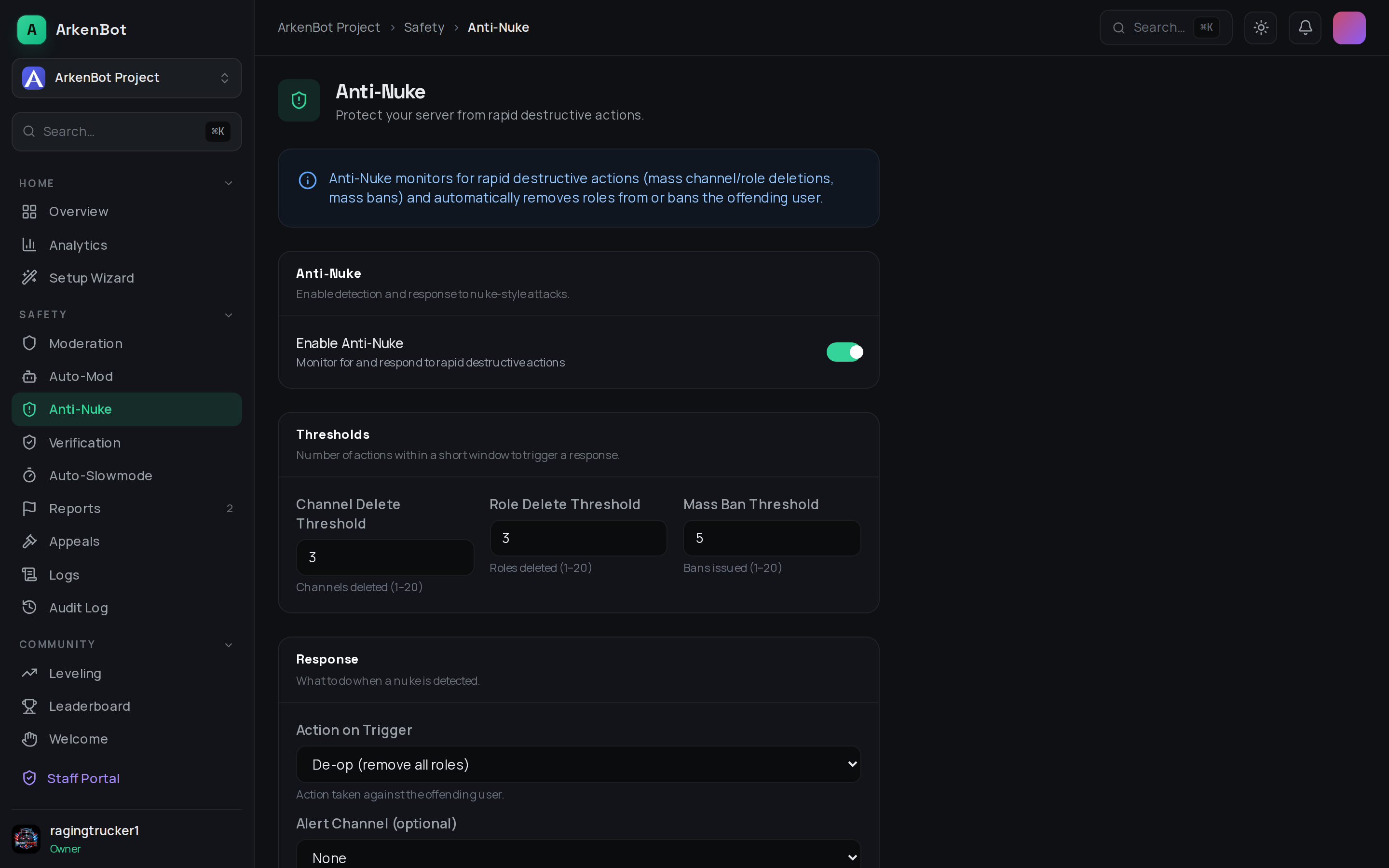
Setup
- Go to Dashboard → Anti-Nuke (under Moderation in the sidebar)
- Enable Anti-Nuke with the toggle
- Configure the thresholds for each action type
- Choose the response action to take when a nuke is detected
- Optionally select an Alert Channel for notifications
- Click Save Changes
The bot needs Administrator or Manage Guild permission to take action against offending users.
Thresholds
Thresholds define how many destructive actions need to happen within a short window (around 10 seconds) to trigger a response.
| Threshold | Default | Description |
|---|---|---|
| Channel Delete Threshold | 3 | Channels deleted in the detection window |
| Role Delete Threshold | 3 | Roles deleted in the detection window |
| Mass Ban Threshold | 5 | Bans issued in the detection window |
Set lower values for tighter protection, higher values to reduce false positives on active admin teams.
Response Actions
When a threshold is exceeded, the bot takes one of the following actions on the offending user:
| Action | What it does |
|---|---|
| De-op | Removes all roles from the user immediately |
| Kick | Kicks the user from the server |
| Ban | Permanently bans the user |
De-op is recommended as a starting point — it stops the attack without permanently removing the user in case of a false positive.
Alert Channel
Select a text channel to receive a notification whenever Anti-Nuke triggers. The alert includes the user, the action taken, and what triggered it.
Tips
- Keep your bot's role high in the role hierarchy so it can remove roles from or ban admins
- Review your alert channel regularly so you can follow up on triggered events
- If you have trusted co-owners or admins who frequently bulk-delete channels during cleanup, consider raising the threshold slightly