Invite Tracker
Track how many members each user has invited to your server.
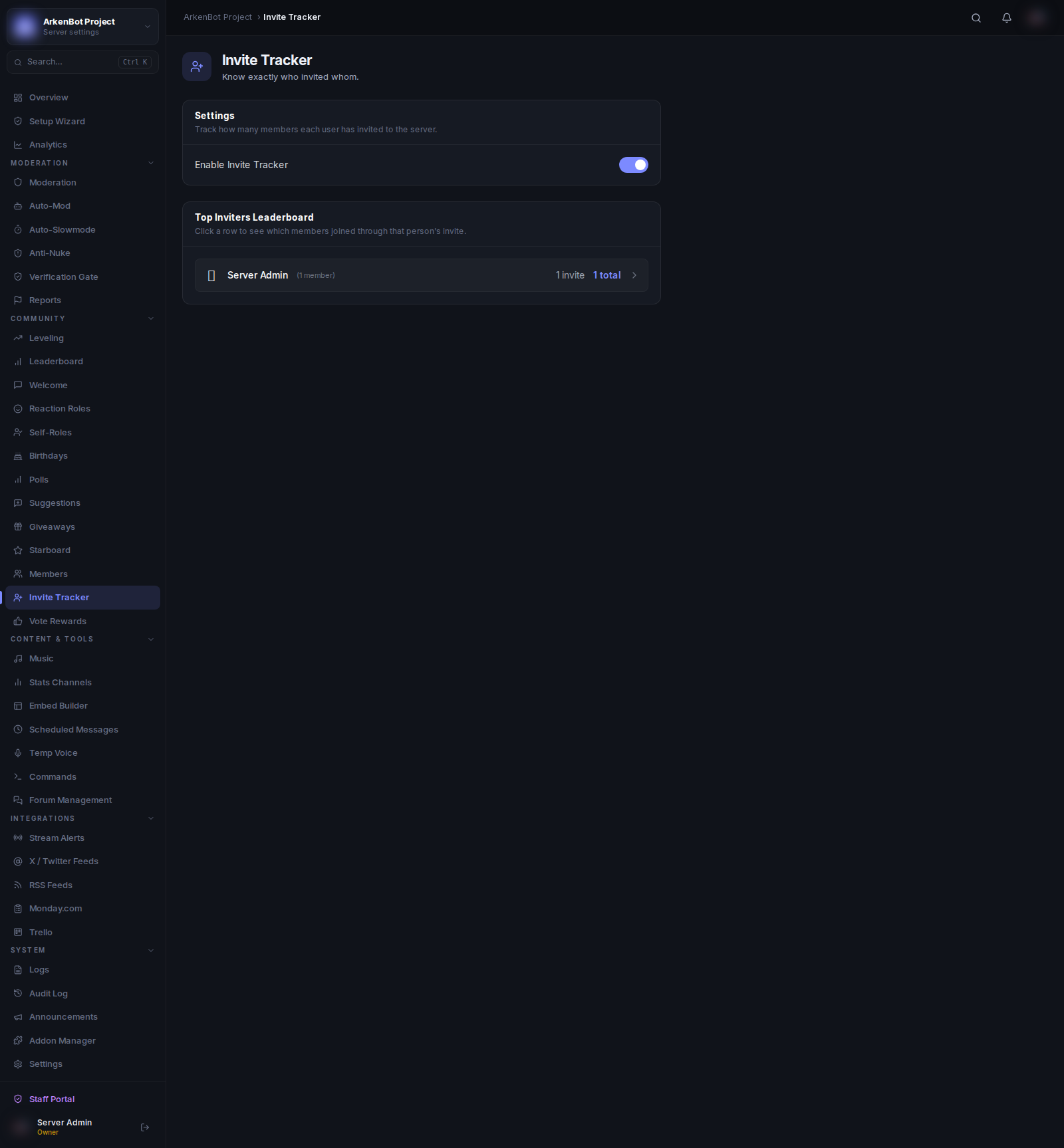
Setup
Go to Invite Tracker in the sidebar.
- Toggle Enable Invite Tracker on
- The bot will begin recording invites using its existing invite permissions
No additional channel configuration is needed.
Leaderboard
The Top Inviters Leaderboard shows your most active inviters ranked by total invites. Each row displays:
| Column | Description |
|---|---|
| Rank | Medal for top 3 (🥇🥈🥉), number for the rest |
| User | Member's display name |
| Invites | Organic invites (people who joined via their link) |
| Bonus | Manually added or removed invite credits (shown in green/red) |
| Total | Invites + bonus |
Bonus Invites
Bonus invites allow you to manually credit or deduct invite counts for special circumstances (e.g. contest rewards, fake-account removals). Bonus values are shown separately and factored into the total.
Notes
- The tracker uses Discord's built-in invite system. The bot must have Manage Guild permission to read invite data.
- If a member leaves and rejoins, their inviter's count is not decremented automatically by default.
- Invite data is recorded from the moment tracking is enabled. Historical invites before enabling are not captured.