Scheduled Messages
Automatically post messages to any channel at a specific time, with optional repeating.
Setup
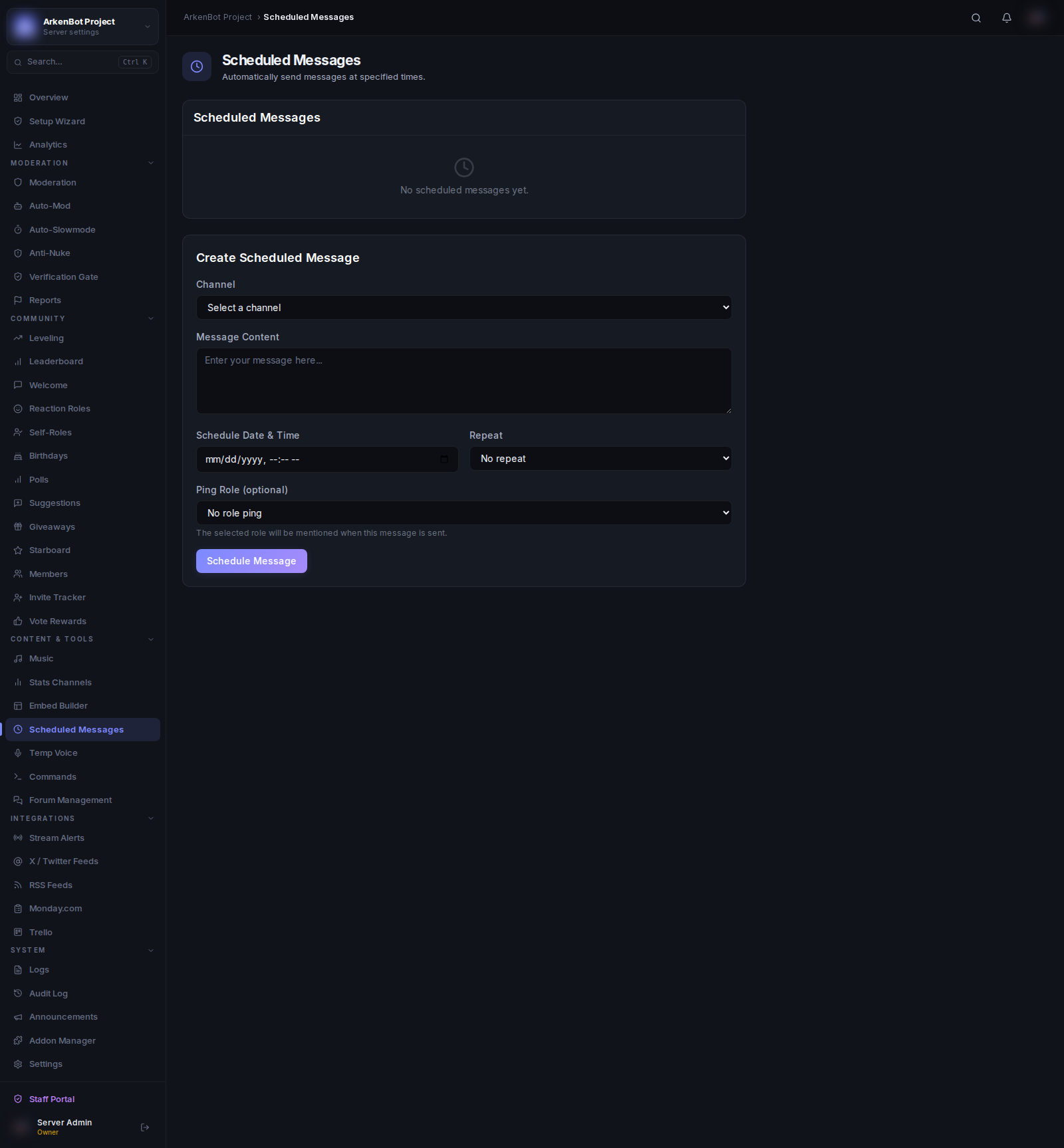
Go to Scheduled Messages in the sidebar.
Creating a Scheduled Message
Fill in the Create Scheduled Message form at the bottom of the page:
| Field | Description |
|---|---|
| Channel | The text channel to post in |
| Message Content | The message text to send |
| Schedule Date & Time | When to send the message |
| Repeat | How often to repeat after the initial send |
| Ping Role | Optional — mention a role when the message is sent |
Repeat Options
| Option | Behaviour |
|---|---|
| No repeat | Send once and stop |
| Hourly | Resend every hour |
| Daily | Resend every 24 hours |
| Weekly | Resend every 7 days |
Click Schedule Message to save.
Managing Scheduled Messages
The table at the top of the page lists all scheduled messages:
- Enable/Disable — Toggle to pause a scheduled message without deleting it
- Delete — Click the trash icon to permanently remove it
Role Pings
Select a role in the Ping Role dropdown to have the bot mention that role alongside the message. The role mention is prepended to the message content (or sent as the message content on embeds).
Useful for announcements targeted at specific groups (e.g. ping @Updates subscribers when a changelog drops).
Notes
- Times are stored in UTC. Factor in your server's timezone when scheduling.
- For one-off announcements, use No repeat and the message will be posted once at the scheduled time.
- Recurring messages (daily, weekly) continue until manually deleted or disabled.