Reports
ArkenBot provides a member report system that lets users flag other members for staff review, without needing to DM a moderator directly.
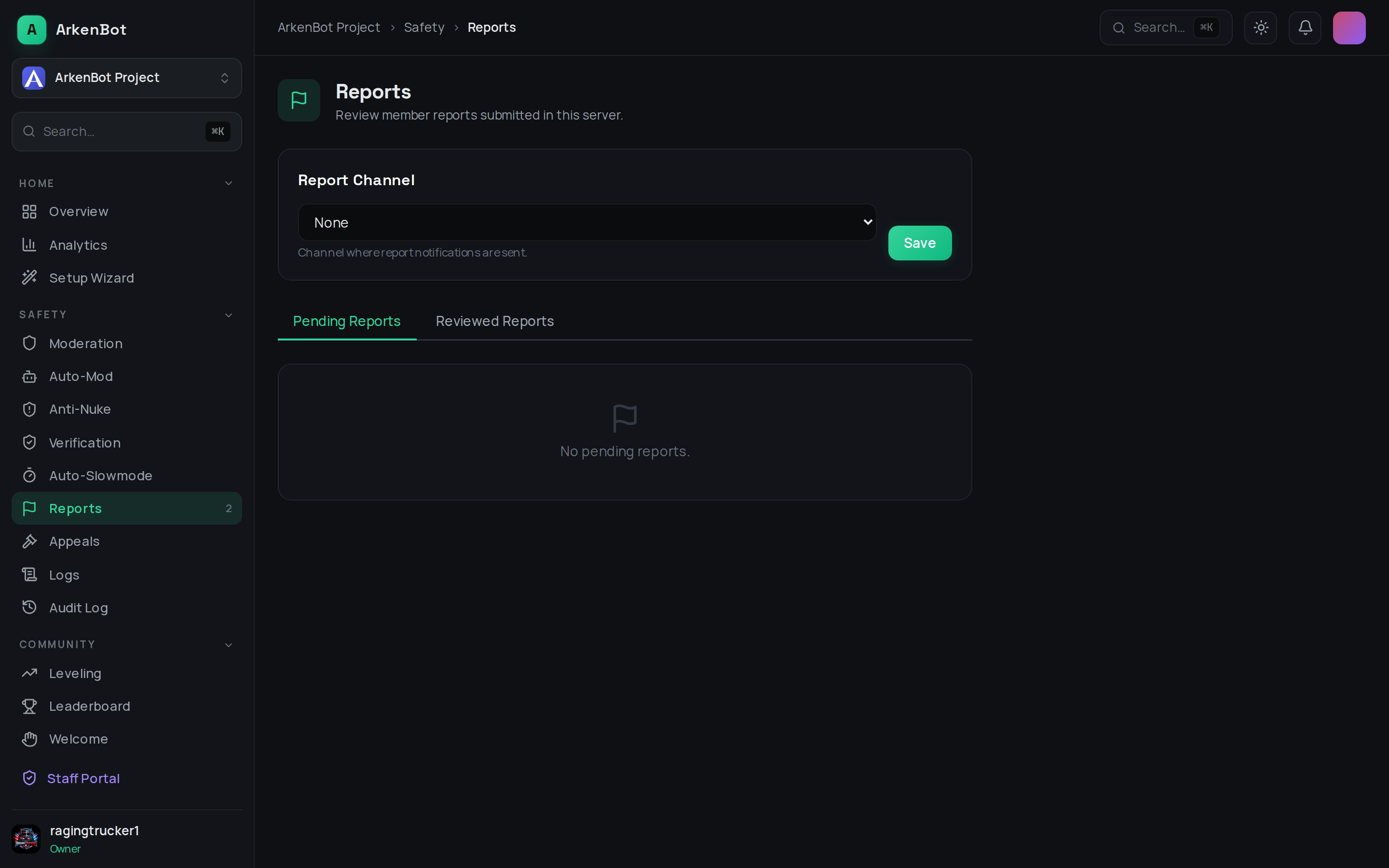
Setup
- Go to Dashboard → Reports (under Moderation in the sidebar)
- Select a Report Channel — this is where the bot posts an alert whenever a new report comes in
- Click Save
Members submit reports using the /report slash command in Discord.
No additional bot permissions are required beyond the ability to post in the report channel.
Reviewing Reports
The dashboard has two tabs:
Pending Reports
All reports that have not yet been acted on. Each card shows:
- Who was reported and who reported them
- The reason provided
- When the report was submitted
Click Mark Reviewed to open a text field for an optional staff note, then confirm with Mark Reviewed or Dismiss.
Reviewed Reports
All reports that have been marked as reviewed or dismissed, with their final status and any staff notes.
Report Statuses
| Status | Meaning |
|---|---|
| Pending | Awaiting staff review |
| Reviewed | Staff took action |
| Dismissed | Report was assessed and no action was needed |
Tips
- Set your report channel to be staff-only so alerts aren't visible to regular members
- Use staff notes to record what action you took (e.g. "Issued a warning via
/warn") - The dashboard refreshes pending reports automatically every 30 seconds