Dashboard Audit Log
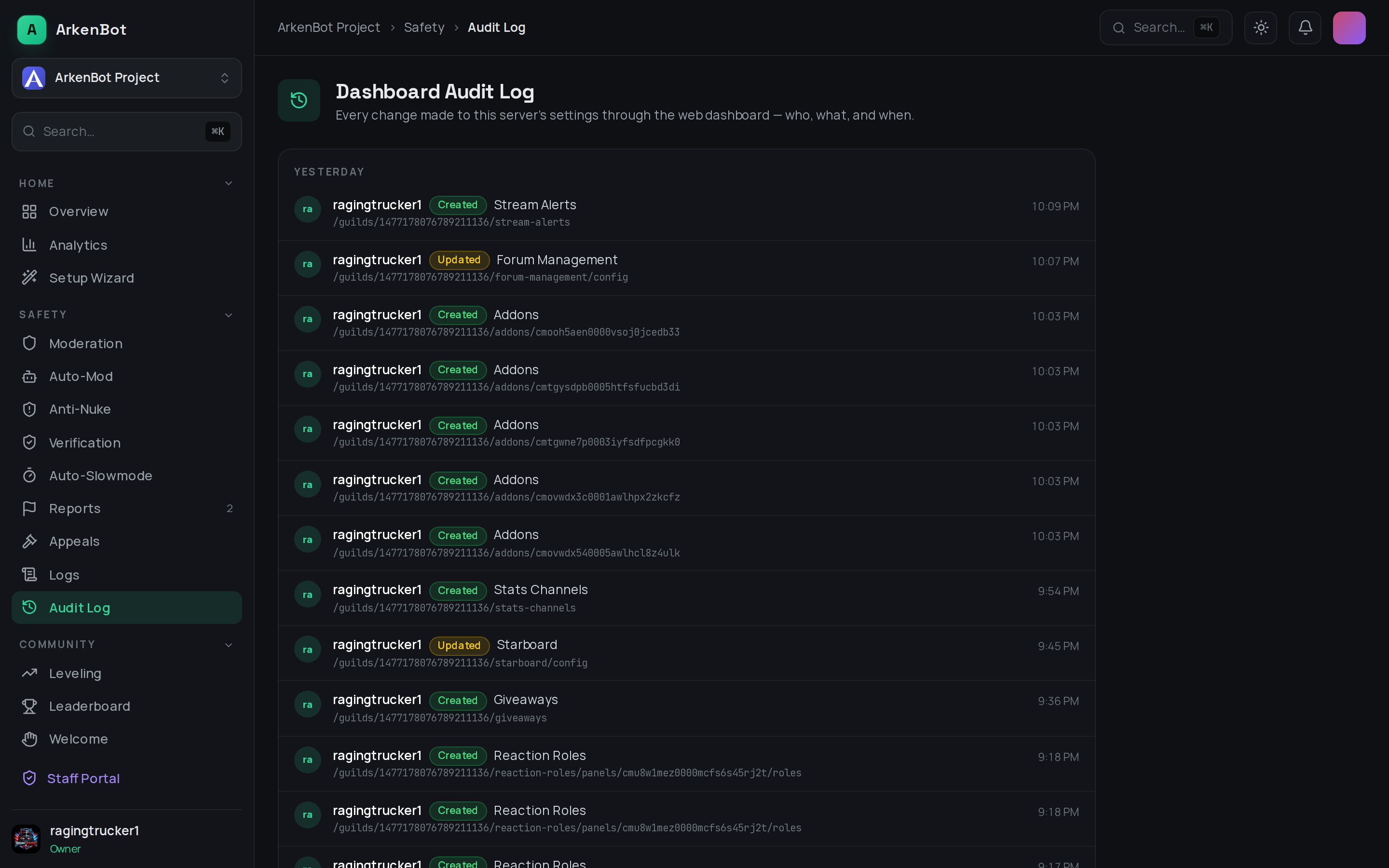
Every change made to your server's settings through the web dashboard — who made it, what changed, and when.
What it shows
Open Audit Log in the dashboard sidebar to see a running history of dashboard activity. An entry is recorded whenever an admin:
- Saves settings on any feature page
- Creates something (an alert, a rule, a panel, a schedule…)
- Updates an existing configuration
- Deletes configuration
Each entry is tagged as Created, Updated, or Deleted, and shows the admin responsible and the timestamp. Entries are paged (newest first), grouped by Today, Yesterday, and previous days.
What it does not cover
This log is specifically for changes made through the dashboard. In-server moderation actions (bans, kicks, warns, etc.) are tracked separately as numbered cases — see Moderation Commands and the /case command. Discord's own server audit log covers actions taken in the Discord client.
The Dashboard Audit Log is a transparency and accountability tool — if a setting changed unexpectedly, this is where you find out who changed it.