monday.com Alerts
ArkenBot can post detailed Discord notifications when events happen on a monday.com board — items created, renamed, moved between groups, column changes, comments, and more.
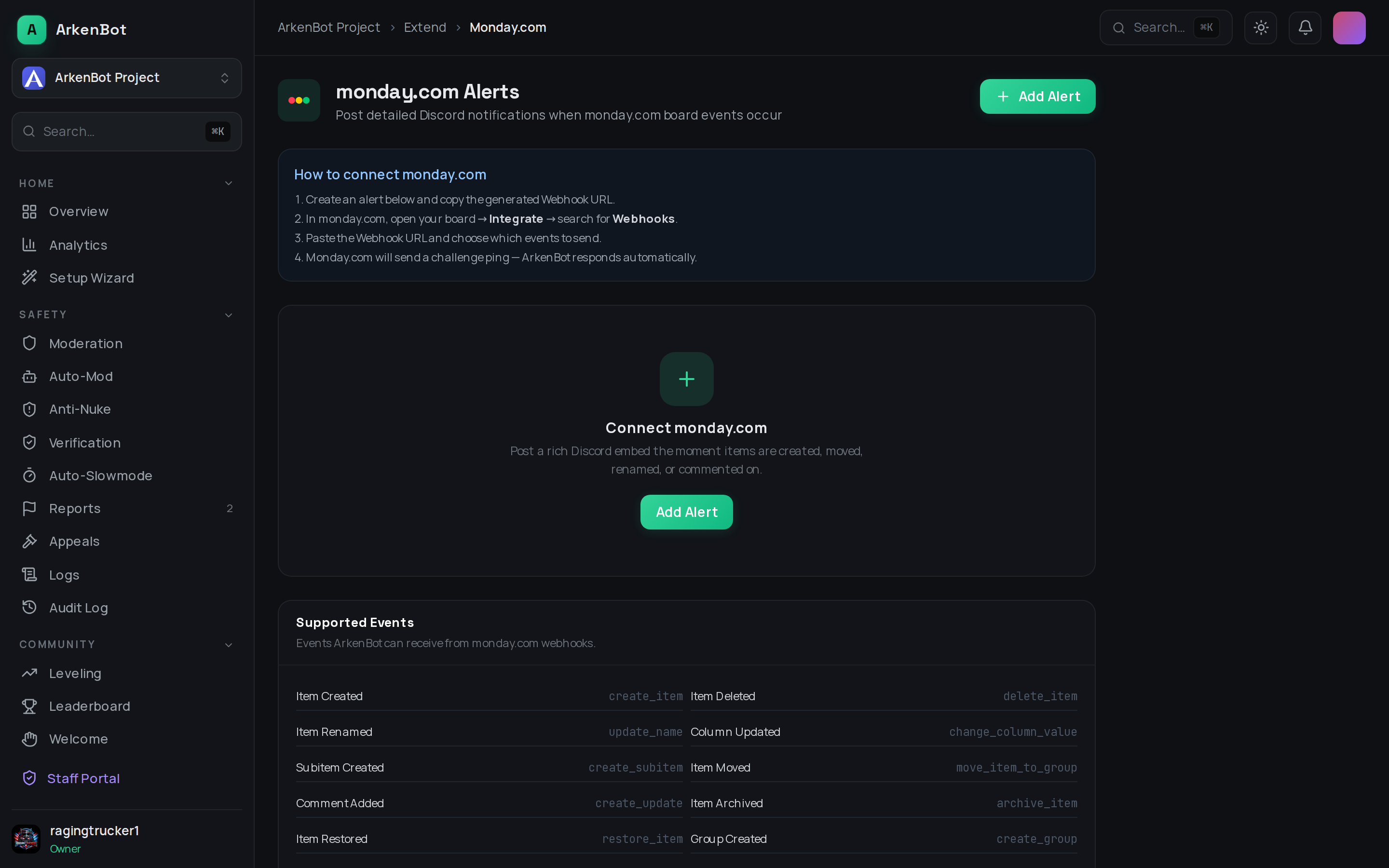
How It Works
Each alert you create generates a unique Webhook URL. You paste that URL into monday.com's built-in Webhooks integration, and monday.com pushes board events to ArkenBot, which turns them into Discord embeds.
Setup
- Go to Dashboard → monday.com (under Tools in the sidebar)
- Click Add Alert
- Fill in:
- Board Name — an optional label shown in the Discord embeds
- Discord Channel — where notifications are posted
- Monday.com API Token — optional; see Display Names below
- Event Filter — tick specific events, or leave all unchecked to receive everything
- Click Create Alert and copy the generated Webhook URL
- In monday.com, open your board → Integrate → search for Webhooks
- Choose a webhook recipe (e.g. "When any column changes, send a webhook") and paste the URL
- monday.com sends a challenge ping — ArkenBot answers it automatically
You can add multiple monday.com webhook recipes (item created, column changes, item deleted, etc.) all pointing at the same ArkenBot Webhook URL.
Supported Events
| Event | Fires When |
|---|---|
| Item Created | A new item is added to the board |
| Item Deleted | An item is deleted |
| Item Renamed | An item's name changes |
| Column Updated | Any column value changes (status, text, person, date, numbers) |
| Subitem Created | A subitem is added |
| Item Moved | An item moves to a different group |
| Comment Added | An update/comment is written on an item |
| Item Archived / Restored | An item is archived or brought back |
| Group Created / Deleted | A group is added or removed |
| Item Duplicated | An item is duplicated |
Display Names
By default, monday.com only sends the numeric ID of the user who made a change. If you provide a Monday.com API token, ArkenBot resolves those IDs to real display names in the embeds (e.g. Jane Doe instead of a profile link).
- Get your token in monday.com under Profile → Admin → API
- The token is stored server-side, never shown in the dashboard again (you'll see "✓ Set"), and used only for name lookups
- Names are cached for one hour to keep API usage minimal
Managing Alerts
- Enable/Disable — pause an alert without deleting it
- Edit — change the board label, API token, or event filter
- Delete — removes the alert; also delete the webhook recipe in monday.com to stop it sending events