Addons Overview
Addons extend ArkenBot with specialized features beyond the core bot. Each addon is a self-contained module that adds slash commands, event listeners, and its own settings.
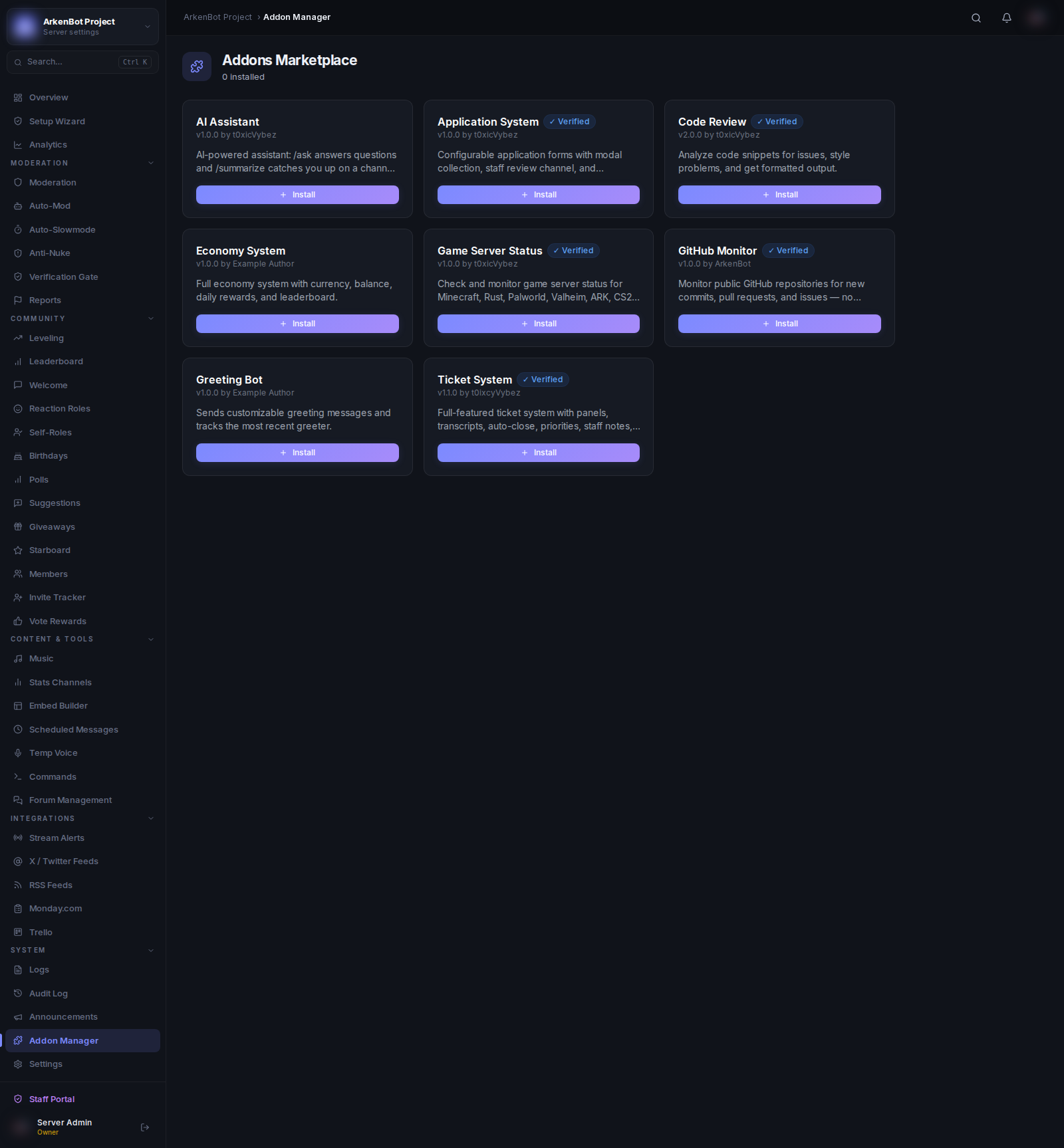
Managing Addons
Go to Addon Manager in the sidebar to see all available addons and their status.
- Install — Enables the addon for your server
- Configure — Opens the addon's settings panel
- Uninstall — Disables the addon and removes its commands
Available Addons
| Addon | Description |
|---|---|
| Ticket System | Full-featured support ticket system with panels, transcripts, SLA, and a portal |
| Game Server Status | Check and monitor 40+ game server types |
| AI Assistant | Ask questions and summarise channels with /ask and /summarize |
| Code Review | AI-powered code analysis and formatting |
| Application System | Application forms with modal collection, accept/deny workflow, and role assignment |
How Addons Work
- Commands from installed addons appear in
/helpautomatically - Addon commands follow the same role permission rules as built-in commands
- Addon settings are configured per-server from the Addon Manager
Command Permissions
All addon commands respect the role permission rules configured in Commands → Role Permissions. Admins always bypass these rules.