Utility Commands
General-purpose commands available to all members.
/help
Browse all commands available to you. The list is filtered based on:
- Commands the server has disabled
- Commands from addons that aren't installed/enabled
- Your Discord permissions
- Role-based command permissions configured by server admins
No options. Navigation uses buttons to page through command categories.
/ping
Check the bot's current latency and API response time.
No options.
/serverinfo
Display information about the current server: member count, creation date, boost level, channels, roles, and more.
No options.
/userinfo
Display information about a user: account age, joined date, roles, badges, and more.
| Option | Required | Description |
|---|---|---|
user | No | The user to look up (defaults to yourself) |
/avatar
Get a user's avatar as a full-size image with a download link.
| Option | Required | Description |
|---|---|---|
user | No | The user (defaults to yourself) |
/remind
Set a personal reminder. The bot will DM you when the time is up.
| Option | Required | Description |
|---|---|---|
time | Yes | When to remind you (e.g. 10m, 2h, 1d) |
message | Yes | What to remind you about |
/invite
Get a link to invite ArkenBot to another server.
No options.
/language
Set or view the language ArkenBot uses when replying to you — independent of the server's language.
Subcommands
| Subcommand | Options | Description |
|---|---|---|
set | language | Choose the language for the bot's replies to you |
show | — | Show your currently selected language |
clear | — | Clear your preference and go back to auto-detect |
See Languages for the full list of supported languages.
/event
Schedule events with RSVP buttons. Members RSVP Going / Maybe / Not going, and can optionally be given a role when they mark themselves as going.
Required permission: Manage Events (to create or cancel)
Subcommands
| Subcommand | Options | Description |
|---|---|---|
create | title, when, description, location, role, channel | Create a scheduled event. when accepts a relative time (2d, 6h) or an absolute date (2026-09-01 18:00). |
list | — | List upcoming events |
cancel | id | Cancel an upcoming event (ID from /event list) |
See Events Setup.
/autoresponse
Manage regex-triggered auto-responses for the server. Messages matching a pattern will receive an automatic reply.
Required permission: Manage Server
Subcommands
| Subcommand | Description |
|---|---|
add | Create a new auto-response rule |
remove | Delete a rule by ID |
toggle | Enable or disable a rule without deleting it |
list | List all rules in this server |
/autoresponse add
| Option | Required | Description |
|---|---|---|
pattern | Yes | Regex pattern to match against message content (no delimiters) |
response | Yes | Text to reply with when the pattern matches |
flags | No | Regex flags (default: i for case-insensitive) |
embed | No | Send the response as an embed (default: false) |
embed_color | No | Hex color for the embed (e.g. #5865F2) |
delete_message | No | Delete the triggering message (default: false) |
See Auto-Responses Setup for the full guide including pattern examples.
/giveaway
Manage giveaways. See Giveaways Setup for full details.
Subcommands
| Subcommand | Description |
|---|---|
start <prize> <duration> [winners] | Start a new giveaway in the current channel |
end <id> | End a giveaway early and select winners |
reroll <id> | Pick new winners from the original entrant pool |
/botstatus
Show a quick summary of the bot's current status, uptime, and resource usage.
No options.
/analytics
View or configure server analytics — 30-day activity and member-flow charts.
Required permission: Manage Server
Subcommands
| Subcommand | Options | Description |
|---|---|---|
view | — | Post the 30-day activity and member-flow charts in the current channel |
set-channel | channel | Set a channel for automatic weekly analytics reports |
disable | — | Stop automatic weekly analytics reports |
See Analytics Setup.
/modmail
Set up and manage DM-based modmail support. Members open a thread simply by DMing the bot; staff reply from a private channel.
Required permission: Manage Server
Subcommands
| Subcommand | Key options | Description |
|---|---|---|
setup | category, staff-role, log-channel, anonymous, greeting, auto-close-hours, feedback | Enable modmail and configure it |
config | — | Show the current modmail configuration |
close | — | Close the current modmail thread (run inside a modmail channel) |
disable | — | Turn modmail off |
See Modmail Setup.
/forum-setup
Automate forum-channel threads — post a template message and auto-apply a tag to every new thread.
Required permission: Administrator
Subcommands
| Subcommand | Options | Description |
|---|---|---|
set-template | channel, message | Post a template message in each new thread |
set-auto-tag | channel, tag-id | Automatically apply a tag to new threads |
clear | channel | Remove forum configuration for a channel |
/selfrole
Manage the list of self-assignable roles for your server.
Required permission: Manage Roles
Subcommands
| Subcommand | Description |
|---|---|
add role:<role> [name:<name>] | Add a role to the self-assignable list. If no name is given, the role's name is used (lowercased). |
remove name:<name> | Remove a role from the list. Supports autocomplete. |
list | Show all self-assignable roles in an embed. |
See Self-Assignable Roles Setup for the full guide.
/selfassignrole
Assign yourself one of the server's self-assignable roles.
| Option | Required | Description |
|---|---|---|
name | Yes | The short name of the role to assign (autocomplete shows available roles) |
Autocomplete only shows roles you don't already have.
/selfremoverole
Remove a self-assignable role from yourself.
| Option | Required | Description |
|---|---|---|
name | Yes | The short name of the role to remove (autocomplete shows your current roles) |
Autocomplete only shows self-assignable roles you currently have.
/permcheck
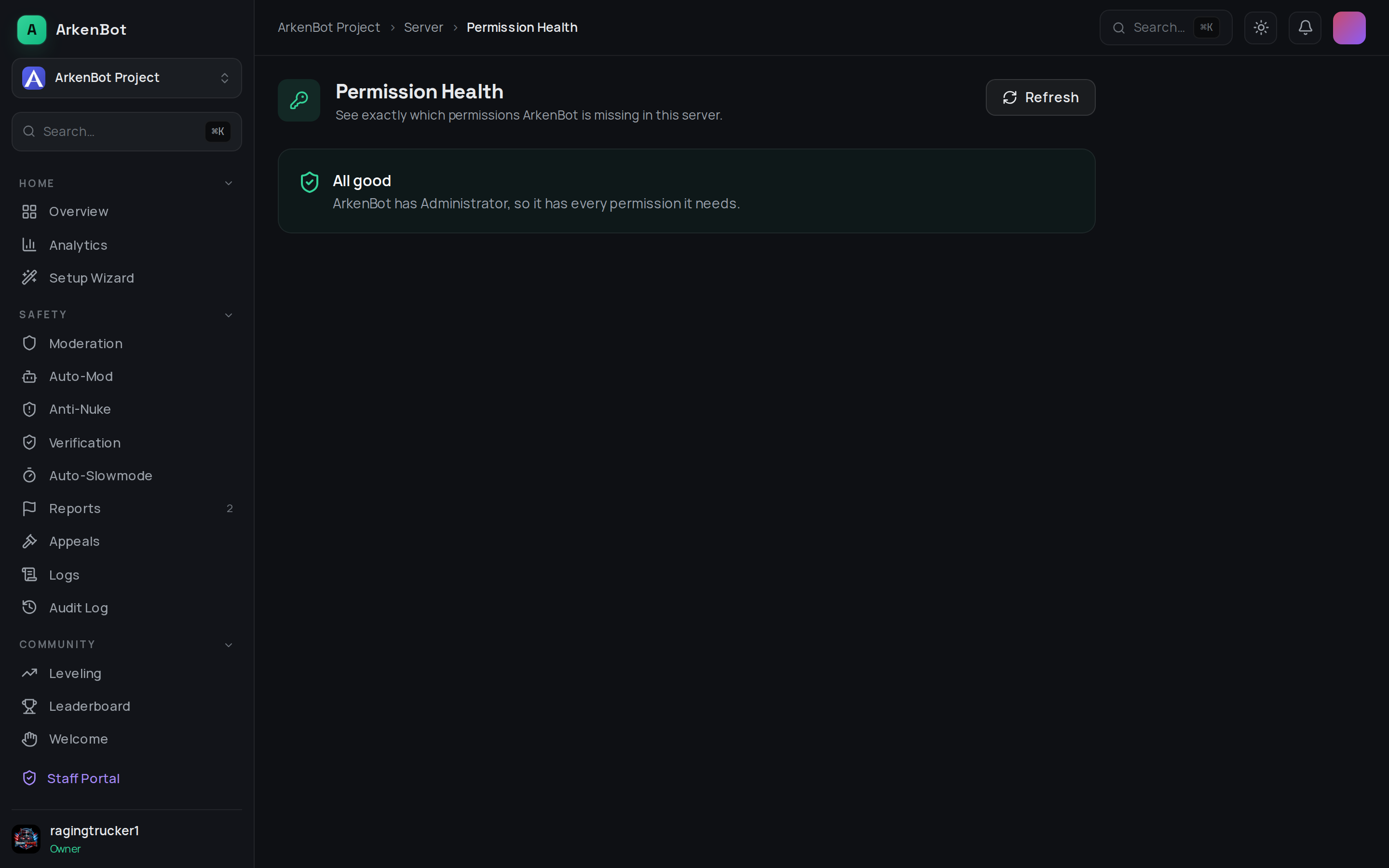
Report which permissions ArkenBot is missing in the current server. Restricted to members with Manage Server; the reply is only shown to you.
It checks:
- Server-wide permissions the bot's features rely on (View Audit Log, Manage Roles, Ban/Kick/Timeout Members, Manage Messages, and more), with a one-click re-invite link that grants the full set — no need to kick the bot.
- Per-channel access — any channels where the bot can't View, Send, Embed, or Add Reactions.
If ArkenBot has Administrator, it short-circuits to a simple "all good."
The same information is available in the dashboard under Server → Permission Health, including a per-channel breakdown and the re-invite button.