Application System
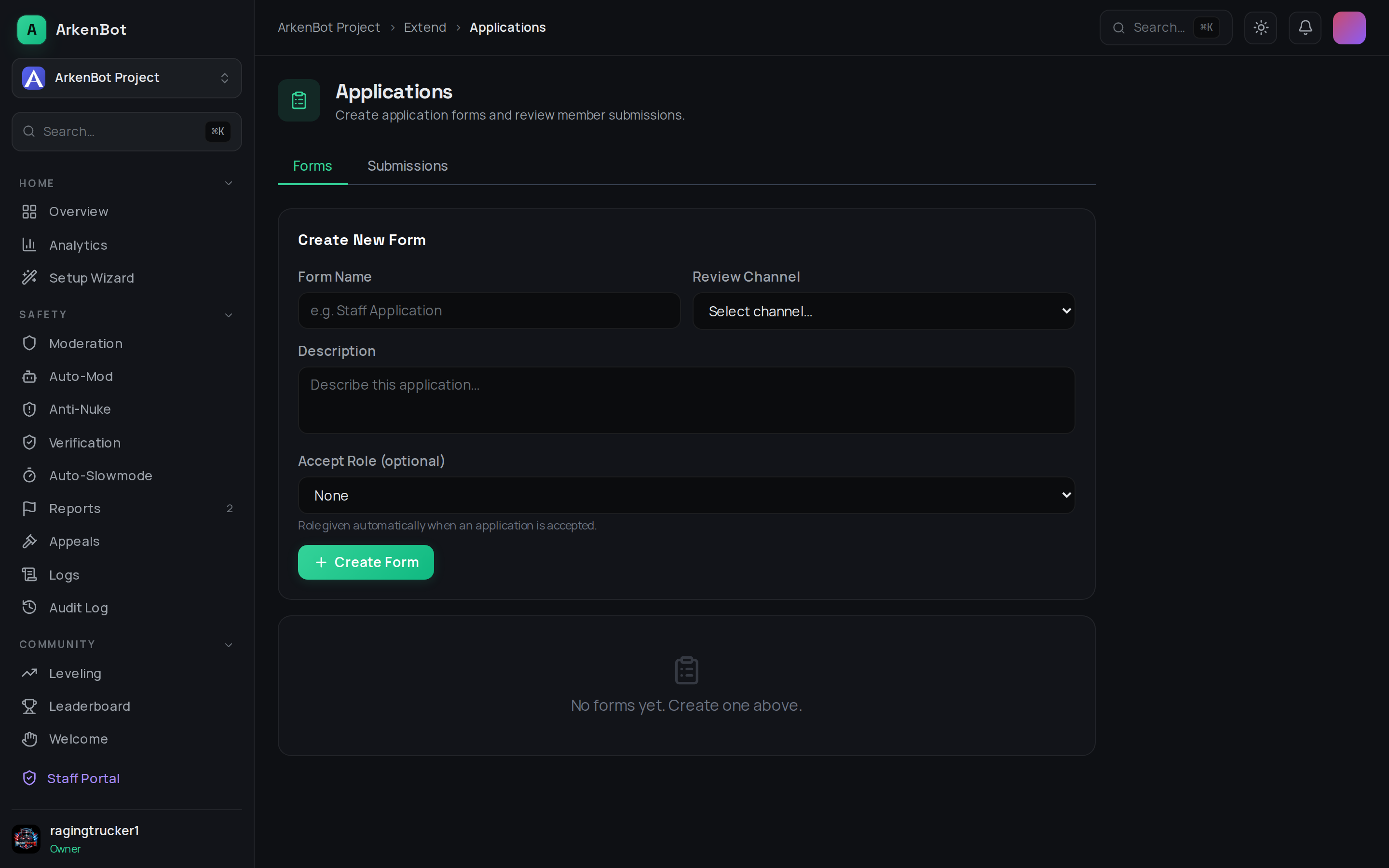
The Application System addon lets you create custom application forms that members fill out directly inside Discord using modals. Staff receive submissions in a review channel and can accept or deny with a single click.
Installation
Go to Addon Manager and install Application System.
Creating a Form
Use /app-setup create (requires Manage Server):
| Option | Description |
|---|---|
name | Display name for the form (shown in the modal title and autocomplete) |
review-channel | Channel where submissions are posted for staff to review |
description | Short description shown to applicants (optional) |
accept-role | Role to automatically assign when an application is accepted (optional) |
After creating a form, add questions with /app-setup add-field:
| Option | Description |
|---|---|
form | Select which form to add a field to (autocomplete) |
label | The question text |
style | Short (single line) or Paragraph (multi-line) |
required | Whether the field is required |
placeholder | Placeholder text inside the input (optional) |
Discord modals support a maximum of 5 fields per form.
Managing Forms
| Command | Description |
|---|---|
/app-setup list | List all forms and their status |
/app-setup toggle form:<name> enabled:<true/false> | Open or close a form |
/app-setup delete form:<name> | Permanently delete a form and its submissions |
Applying
Members use /apply and select a form from the autocomplete list. Only open forms appear. They fill in the modal and submit — the bot posts their answers to the review channel with Accept and Deny buttons.
Reviewing Applications
When a submission arrives in the review channel:
- Click Accept or Deny
- An optional note modal appears — you can leave a reason or note for your records
- Click Submit
On Accept:
- If an accept role is configured, it is automatically assigned to the applicant
- The applicant receives a DM confirming they were accepted (with the note, if provided)
- The review embed updates to show the decision and who reviewed it
On Deny:
- The applicant receives a DM with the denial (and optional note)
- The review embed updates
Once reviewed, the Accept/Deny buttons are disabled so the same application cannot be actioned twice.
Tips
- Create separate forms for different purposes (staff applications, event sign-ups, giveaway entries)
- Use the
accept-roleto automatically onboard accepted staff without any manual role assignment - Set the review channel to a staff-only channel so applicants cannot see decisions before their DM arrives